Software
Mission Control
Plan your fields and run your missions in the browser
Mission Control is the user interface of the Farming Autonomy OS. Map a field, plan the mission on it down to the row, and follow your machine while it works, from any browser.
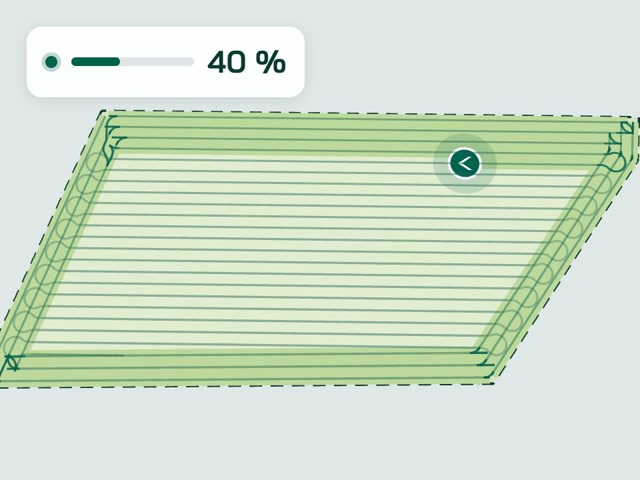
From the field boundary to the finished mission
Turn field boundaries and operating parameters into a trajectory
Create beds within a field and give them row parameters
Connect beds, add waypoints and assign tasks to rows
Follow robot status, localization accuracy and battery level live
Look back on past missions in the mission history
Pause the running mission with one click
User Interface
The Mission Control in Action
Explore how an operator sees the Nature Robots mission control functions - from defining the field boundaries to planning complex missions on a field.
Map Your Field
Transform field boundaries and operational parameters into a trajectory for an autonomous robot.
Create the Mission
Generate multiple beds within one field and assign mission-specific row parameters to them.
Complete the Mission
Manually connect beds, add waypoints and select specific tasks for your rows.
Mission Control Overview
Get a brief overview of the three mission control features.